
To ensure a smooth path to graduation, students should apply to graduate at least one full semester before their final term. Early application gives you time to complete a graduation audit, resolve any outstanding requirements, and make necessary schedule adjustments.
If you wait until your final semester to apply, you may not have time to add required courses, and your name may be missing from important graduation lists—such as the official roster of graduating seniors and the printed commencement program.
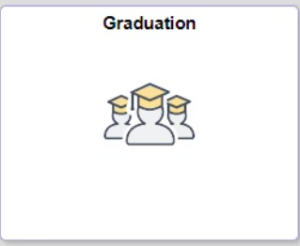
To apply to graduate, click on the Graduation tile from your Homepage in accesSPoint. This tile will appear when you are eligible to apply.
Selecting the Correct Graduation Term
Use the table below to determine the appropriate graduation term to select in your application and to see which commencement ceremony you will be eligible to attend.
| Student’s last class will be completed in: | When applying to graduate, student should select: | Student will be eligible to participate in the following commencement ceremony: |
|---|---|---|
| Spring Term | Spring Term | May Ceremony |
| Summer Term | Summer Term | May Ceremony |
| Fall Term | Fall Term | December Ceremony |
| Winterim Term | Winterim Term | December Ceremony |
Your Diploma Name
Your legal name is used by default on your diploma. The name on file at the time diplomas are ordered is the name that will appear.
After submitting your graduation application, you may request to use a preferred name instead. Please consider this carefully:
- Some countries require your diploma name to match your official transcripts for legal, employment, or immigration purposes.
- Students planning to live, work, or study outside the U.S. are strongly encouraged to use their legal name.
Name changes or preferred-name requests made after the last day of your final term are not guaranteed to appear on your diploma due to processing timelines. If your name is updated after your diploma has already been ordered, you will need to request and purchase a replacement diploma.
After You Apply
All updates about your graduation status and degree requirements will be sent to your UWSP email. Continue checking your UWSP email regularly—even after your final semester. If issues arise that could delay your degree or prevent approval, notifications will be sent only to this account.
If you need to change your graduation term or have questions about your application, reach out to the graduation auditor.
Graduating with Honors
Honors for Associate and Bachelor degree candidates are awarded as follows:
- GPA of 3.50-3.74 = cum laude (honors)
- GPA of 3.75-3.89 = magna cum laude (high honors)
- GPA of 3.90-4.00 = summa cum laude (highest honors)
The GPA for honors is calculated using all college credits from any UWSP campus and any transfer schools. You can find this GPA at the beginning of your DPR under “University Requirements” in the “Graduation Honors GPA” section. Please note that GPAs are rounded using the third digit, e.g. a 3.495 rounds to 3.50 but 3.494 does not.
In the commencement ceremony you are recognized on the basis of the work which you complete before your final term. On your transcript, you are recognized on the basis of all the work you have done, including your final term. Those students eligible to wear an honors cord at the commencement ceremony are issued one when the caps and gowns are distributed at the University Bookstore.
Please note that Graduate degree candidates are not eligible to earn graduation honors.
If you have questions concerning honors, please email the graduation auditor in the Office of the Registrar or call (715) 346-4301.
Graduation vs. Commencement
While closely related, graduation and commencement are not the same:
Graduation
Graduation occurs when you have successfully completed all degree requirements and the Office of the Registrar officially confers your degree.
Commencement
Commencement is the celebratory ceremony held at the end of the fall and spring terms to honor students who are graduating.
Graduation Application Deadlines by term
Please note – these are the deadlines for the graduation application in accesSPoint. If you find that you missed the deadline to apply for a specific term in accesSPoint, please contact the graduation auditor.
Graduation Checklist
Preparing to graduate is an exciting milestone, and we’re here to help you stay on track. This checklist outlines the key steps you need to complete before your degree can be awarded. Review each item carefully to ensure a smooth path to graduation and avoid any last‑minute delays. Let’s make your final semester a successful one!
Apply Early
Apply to graduate at least one full semester before your final term.
Review Your Majors and Minors
Declare, update, or remove any majors or minors as needed.
Meet With Your Advisor
Confirm that all major and minor requirements will be completed. Any exceptions must be officially documented.
Check Your Degree Progress Report (DPR)
Ensure every requirement is marked “Satisfied.” A “Not Satisfied” status indicates a required action.
- For CGER, GDR or GEP issues: contact the graduation auditor.
- For major/minor issues: contact the academic department.
Submit Transfer Transcripts
Have an official transcript sent for any transfer course not showing on the DPR as soon as possible.
Deadlines For Graduating Students
All grades for courses which apply toward your degree must be on file in the Office of the Registrar 30 days after the last day of the term. If you are transferring credits from another school, please request that your transcripts be sent to this office immediately upon completion. If you have an incomplete or “NR” grade, your work must be completed and a grade turned in within that 30 days.
Keep your contact information updated
Make sure your home and local addresses are always current. This helps us send important mail—especially your diploma—to the right place.
Note: Diplomas are mailed to the home address shown in accesSPoint.
Monitor Your UWSP Email
Keep an eye on your UWSP email! Important graduation and Commencement details will be sent there. Make sure to read each message and respond when necessary.
Communicate any changes promptly
If your application information changes or you have questions, notify the graduation auditor in the Office of the Registrar. This includes changing your graduation date.